
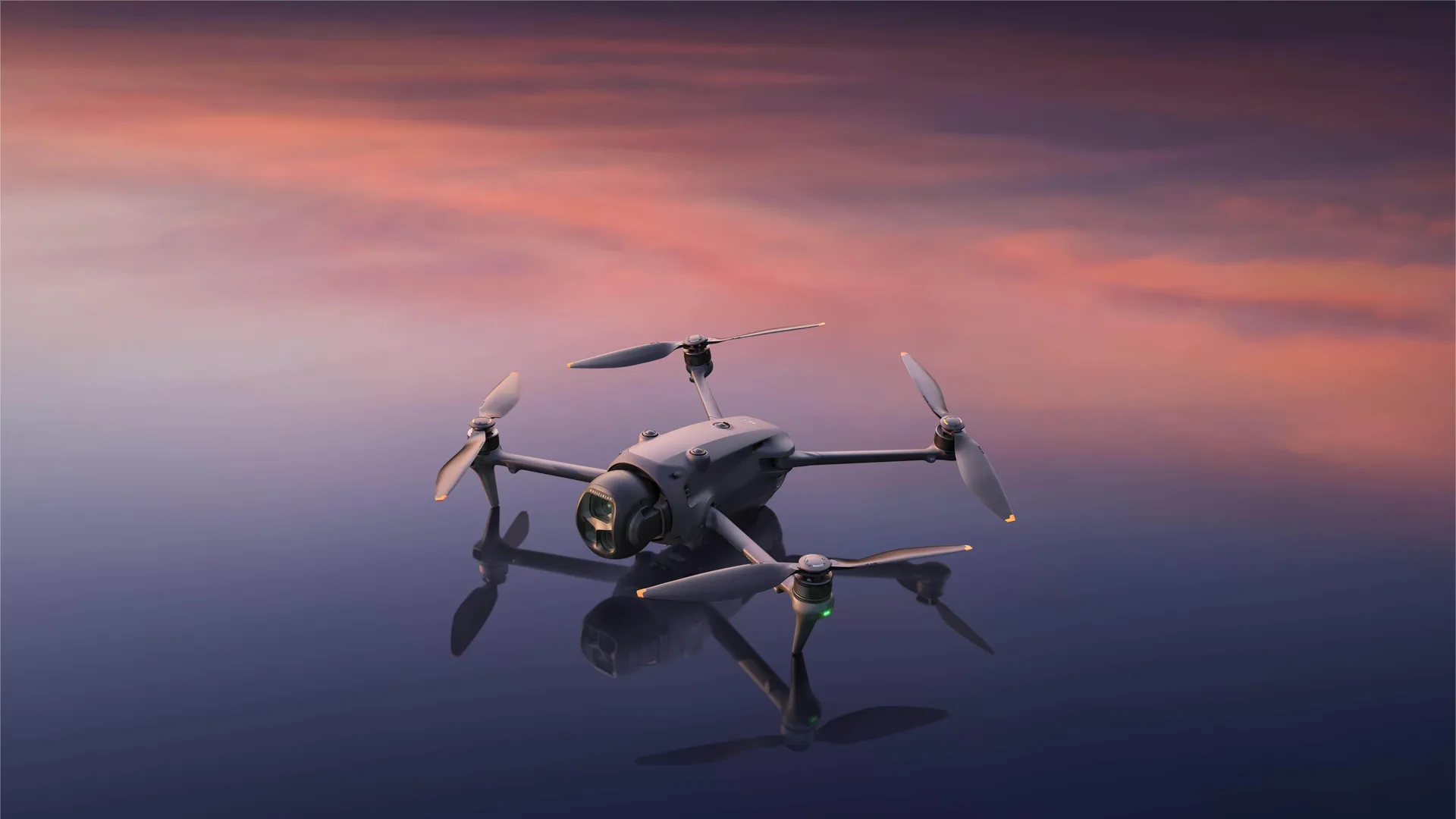
Since buying the DJI Mavic 4 Pro Creator Combo, the thing I have enjoyed most is how the camera and controller work together. Rotating the screen into portrait and having the shooting orientation follow, then turning it back to landscape, feels wonderful. A small physical movement changes the frame's orientation. To me, that means much more than a line in a feature list.
My previous review covered the technical side of the Creator Combo in detail. This time I am writing about my own experience with the system I bought. So far, I have had no problems that have made using it difficult. I am still learning parts of it, especially smooth movement with the telephoto camera and getting my hands used to the large controller.
The 6K main camera: a pleasure to look at
I love the main camera's image. The option of 6K recording and a lens opening to f/2 are among this system's strongest attractions for me. Calling it “fantastic” may sound enthusiastic, but that describes my satisfaction accurately.
Resolution is only part of that response. Wanting to work with an image, and enjoying its colours, matters to me. The Mavic 4 Pro gives me that feeling. A recording becomes material I want to open and work on after the shoot.
DJI's official camera specifications list 6K/60 fps and an f/2–f/11 aperture range for the main camera. I am describing my satisfaction with the camera's capabilities and the images I have seen.
The 168 mm telephoto: where I am still learning
I like having three cameras in one aircraft. Being able to choose a tighter view alongside the wide one lets me think about different shots when telling the story of a place. A wide image introduces somewhere; a tighter frame decides what I want to notice within it.
The part I need to get used to is the 168 mm telephoto camera. Relative to the main camera's 28 mm equivalent view, that is 6x. I am less familiar with such a tight frame, so making movements as soft and fluid as I want currently feels harder.
I do not regard that as a fault with the drone. My hands have not fully adjusted to this angle of view yet. With a tighter composition, I need to think more carefully about how a small movement appears on screen. I expect that control to feel more natural with practice.
I do not expect every option in good equipment to become equally familiar on day one. The telephoto is an area I expect to make better use of as I practise. My satisfaction with the product and my own learning process are separate things.
My favourite feature: turn the screen, change the frame
It is wonderful that turning the RC Pro 2 screen vertically changes the shooting orientation too. Turn it back and I am framing horizontally again. This has become my favourite feature in use. DJI explains the transition in its portrait shooting guide.
What I like is that the direction of the screen matches the direction in which I am thinking about the shot. When composing vertically, the screen has that shape too. The movement is so understandable that it makes my relationship with the camera feel natural.
Horizontal and vertical images need different compositional thinking anyway. Even with the same subject in the same place, the share of sky, the lines of a building and the weight of the foreground change. I appreciate how this system makes the decision physically visible while shooting. DJI's movement and gimbal limits in vertical mode still need to inform the plan.
I love the controller; I am adjusting to its size
I really like the RC Pro 2. It feels like the place where I engage directly with the image. Its screen and the switch between portrait and landscape make it a device I enjoy using.
It is a little large for my hands. I do not currently see that as a serious drawback; I expect to get used to it. Liking a device's functions and having its shape feel familiar are different things. My overall satisfaction is very high, and adjusting to the size is part of my personal experience.
The HDMI output is another appealing possibility. Sending an aerial view live to another display or a suitable production system at a concert or event interests me. Screen sharing is explained in the RC Pro 2 manual.
Colour grading and the recording format
Colour grading Mavic 4 Pro images is very enjoyable. That is one of my favourite responses to a camera: wanting to open the footage and work on it. Working with the image feels rewarding in its own right.
The recording format needs to be named correctly here. The Mavic 4 Pro does not record Apple ProRes directly. The Creator Combo offers H.264 ALL-I. Supported formats appear in DJI's official table.
Storage and file choices continue the same job. Moving footage to the computer, backing it up and preparing it for editing belong to one process. Considering what happens after recording makes as much sense as considering the camera when evaluating the Creator Combo.
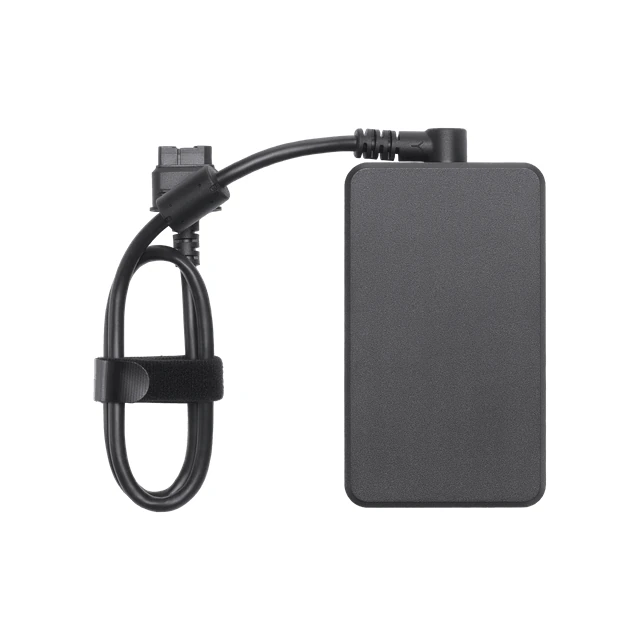
Charging three batteries and the controller together
I love being able to charge three batteries and the controller simultaneously with the 240 W system. Preparing them together is one of my favourite practical details in the bundle. I have not timed the process myself yet.
The measurement in DJI's current user manual is approximately 90 minutes for three batteries, with 200–240 V input, at 25 °C and without another USB-C device drawing power. Charging the controller at the same time lengthens the aircraft batteries' charging time. That figure therefore cannot be used for three batteries and the controller together.
My appreciation so far is for the convenience of preparing the whole system at once. A practical detail like this can stay in mind as strongly as a camera feature.
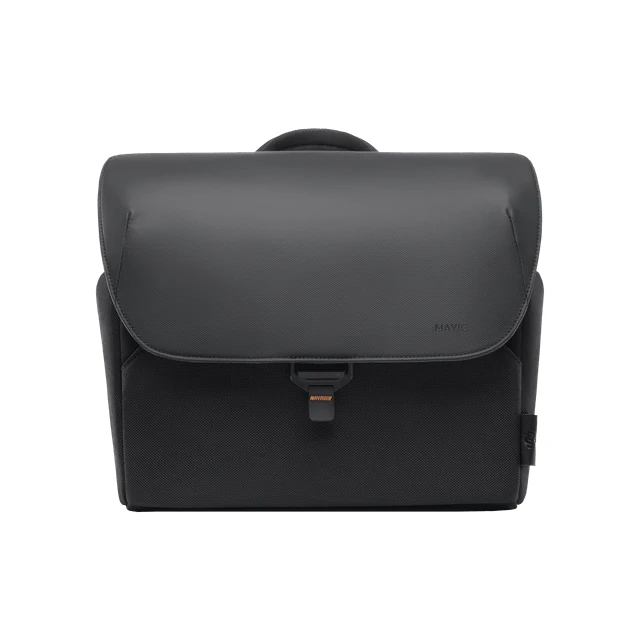
A large aircraft, and a beautiful bag
The Mavic 4 Pro is a large, heavy drone. Even the Mavic 3 Classic felt big to me, and this aircraft feels noticeably bulkier. Picking it up and carrying it makes its size clear.
The supplied bag is wonderful too. It contributes to my satisfaction with the whole product. A bundle's value includes the pieces you handle while preparing it, alongside the aircraft itself.
I also love the appearance of clouds, reflections and colours with the PolarPro Vivid ND/PL set I bought for the Mavic. I have described those filters in the separate Vivid Collection article, and the magnetic system for my ground cameras in the Helix VND 2–5 review.
My assessment so far
The Creator Combo earns the money I spent on it. So far, I have experienced no problem or clear disadvantage for my own use. I am adjusting to the controller's size and movement with the telephoto camera, which I see as part of my learning process.
The main camera's image, enjoyable colour grading, framing that follows the rotating screen, simultaneous charging and the bag: my satisfaction comes from their combined effect. That completeness is what makes the Mavic 4 Pro Creator Combo a good purchase for me.